

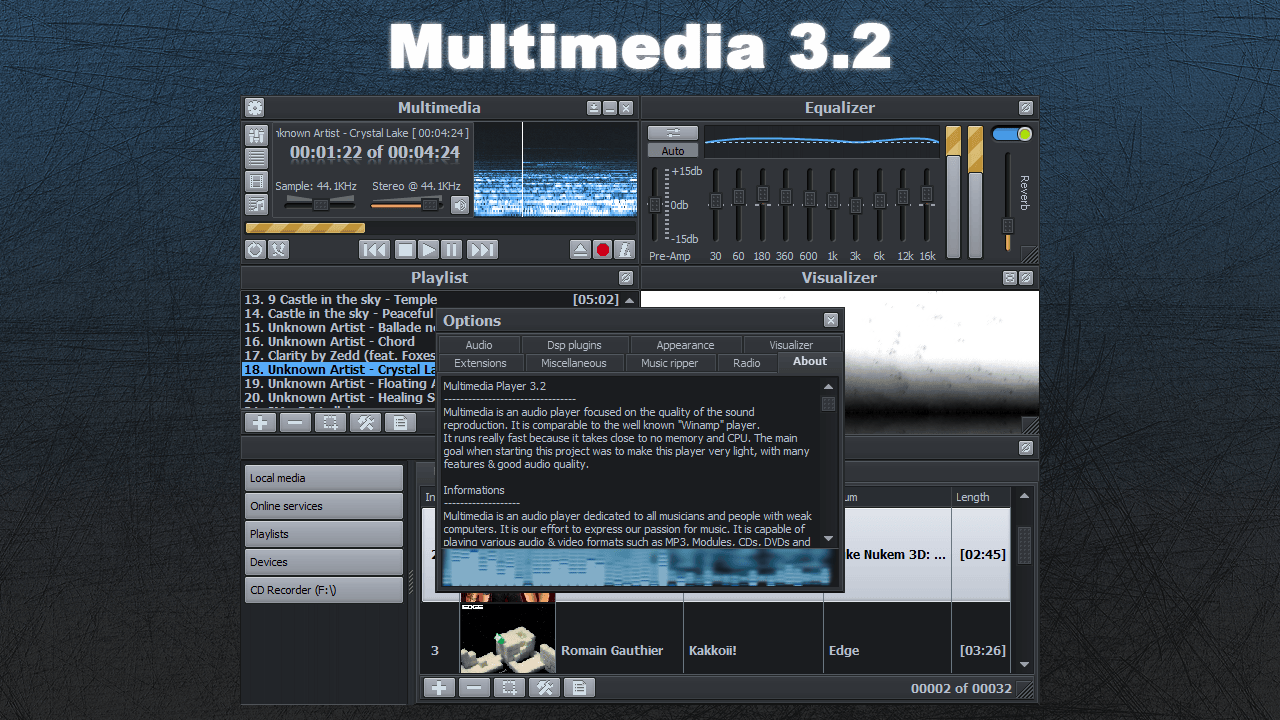
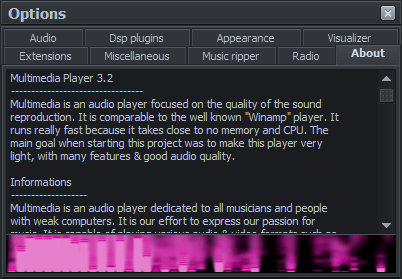
Multimedia is an audio player focused on the quality of the sound reproduction. It is comparable to the well known “Winamp” player. It runs really fast because it takes close to no memory and CPU. The main goal when starting this project was to make this player very light, with many features & good audio quality.
Multimedia Player is now at 390 000 lines of code. O.o’

Informations
Multimedia is an audio player dedicated to all musicians and people with weak computers. It is our effort to express our passion for music. It is capable of playing various audio & video formats such as MP3, Modules, CDs, DVDs and open-sourced encoders.
Its playback quality is excellent because it’s based on the famous BASS audio library. Of course, Multimedia is freeware. However, we accept donations. 🙂 Our ambition is to make Multimedia Player the best player around the world.




Specifications
Its main features are:
- Skin support.
- Multilingual.
- Excellent recording & playback quality.
- Equalizer with visual effects.
- Playlist & medialibrary editor + search engine.
- Integrated file converter/ripper.
- Streaming of radio + freedb support.
- Sonique 1.x, Winamp, BassBox WMP visual plugins.
- Input and DSP plugins.
- ID3v1&2, OGG, WAV, WMA and Modules tags.
- Compatible with all Windows versions
- Fast, easy to use ‘n’ light.
- Freeware!
Multimedia Player supports the following formats:
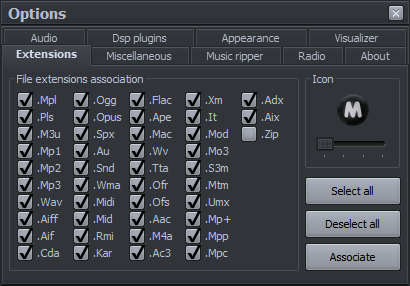
- Streams: .OGG, .MP1, .MP2, .MP3, .WMA, .WAV, .MAC, .APE, .AC3, .TTA, .FLAC, .OFR, .OFS, .WV, .MPC, .MP+, .MPP, .SPX, .ADX, .OPUS
- Modules: .MO3, .IT, .XM, .S3M, .MTM, .MOD, .UMX
- CD-ROM: .CDA
- Video: .AVI, .MPG, .MPEG, .MP4, .MOV, .ASF, .WMV, .WEBM, . FLV, .MKV, .DAT
- DVD: .VOB, .AOB, .IFO (with subtitles support)
- Others: .MID, .MIDI, .RMI, .KAR, .AU, .SND, .AIF, .AIFF, .AAC, .M4A, .ZIP
Multimedia Player supports the following playlist formats: .MPL, .M3U, .PLS
Changelogs
Version 3.2
- (Added) .AIX audio extension support (32 bits only)
- (Added) Vocal-removal feature in the Equalizer, unlockable with the Konami code. Applies center-channel subtraction to dampen dead-center vocals on stereo mixes.
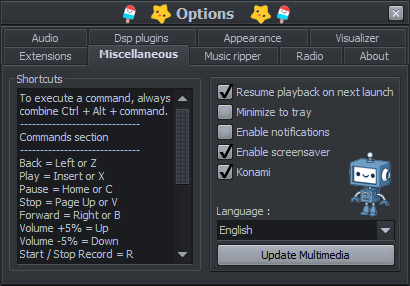
- (Added) Option to resume playback: continue the last-played song from where it left off on next launch.
- (Added) The Add URL dialog now remembers previously entered URLs and offers them in a dropdown.
- (Added) Ctrl+F in the playlist & media library now opens the search box (or refocuses it if already open).
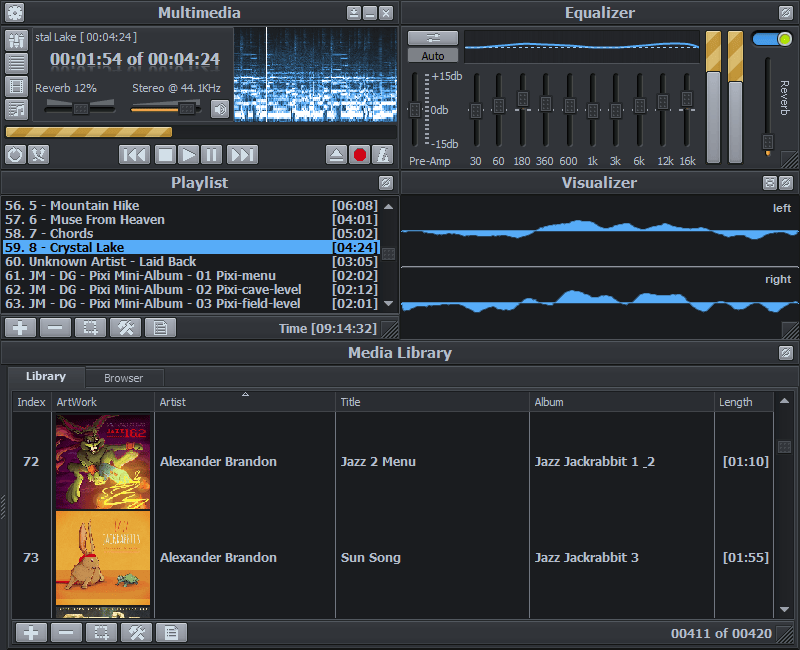
- (Added) Media library: album cover thumbnails column. Covers decode lazily for on-screen rows only, so scrolling stays smooth even with thousands of items. The column can be hidden from the columns menu; when hidden, rows collapse back to their compact height. Hover over a cover thumbnail to see a larger preview (up to 360 px) beside the row.
- (Added) Media library: the currently-playing track is now highlighted with a persistent selection background and bold text, so you can still see which row is playing after clicking around in the list.
- (Added) Media library: Delete key removes the selected items from the current playlist.
- (Added) Tag editor: view and attach embedded album art for ID3v2 (MP3), OGG Vorbis and FLAC files. Front cover is shown when a file carries multiple picture types; new covers can be attached from JPG, PNG, or BMP and are written on Save.
- (Added) New “FLAC” tab in the tag editor reads and writes the standard Vorbis information and the embedded artwork cover.
- (Added) New “URL info” tab in the tag editor showing server metadata for the URL currently being played.
- (Added) Tag editor: read-only “Tags” tab automatically shows tag information for any audio format the player can decode (M4A, AAC, APE, MPC, OPUS, TTA, WavPack, OptimFROG, etc.), without a dedicated editor.
- (Added) The ID3v2 Comments field is now multi-line.
- (Added) File-size labels in the tag editor are now shown as friendly units (e.g. “2.85 MB”) instead of a raw byte count.
- (Added) Winamp DSP plug-ins with a transport strip now drive playback buttons on the DSP UI trigger the corresponding action in Multimedia Player.
- (Added) Sonique and Winamp visualizer plug-ins now receive the current track’s metadata, so text overlays show real data and update in real time.
- (Updated) Tag editor revamped: layout refined across all tabs, buttons unified.
- (Updated) ID3v2 tags are now written as version 2.4 with UTF-8 frame content (previously v2.3 with the Windows ANSI codepage). Non-ASCII characters in tags now survive edit-and-save instead of being clipped through the codepage. Reading old v2.3 files is unchanged.
- (Updated) Media library: column sort behavior refined.
- (Updated) Icon set refreshed: a few existing icons touched up and new ones added.
- (Updated) List of extensions to register now includes every supported audio extension. (It was missing: .adx, .aix, .opus)
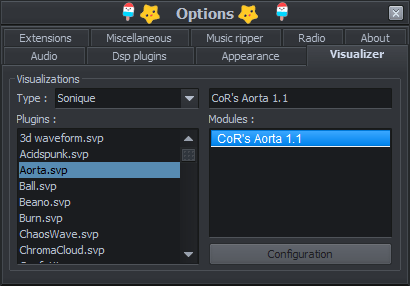
- (Updated) Layout of the visualizer options tab.
- (Updated) Options for the visualizer and DSP now grey out the per-selection components) until you actually pick a plugin.
- (Fixed) Audio engine: streams now open in 32-bit float mode as intended. A latent startup-order bug had been silently forcing every stream to 16-bit int since the beginning.
- (Fixed) Random access violation when a song ended and the next one started. Playback callbacks now marshal to the UI thread instead of doing VCL work directly from the audio thread.
- (Fixed) Rare range-check crash in the main player when a song ended just as the progress timer fired.
- (Fixed) Seeking on long songs, CD ripping, and internet-radio pre-buffering all had latent overflow / divide-by-zero paths triggered by 64-bit BASS values being stuffed into 32-bit variables. Progress is now tracked in milliseconds and every division is length-guarded. Seeks on multi-hour (up to 596 hours) files work, and the ripper / radio loops no longer crash on edge cases.
- (Fixed) MP3 files produced by the ripper reported a wildly wrong duration because LAME embedded an inaccurate TLEN ID3v2 frame. The ripper now strips TLEN after the encode; the duration is computed from the audio frames themselves, which is always accurate.
- (Fixed) Sonique visualizer list now populates instantly instead of freezing for seconds with large plugin collections.
- (Fixed) BassBox visualizer end-to-end: assets now load correctly, plugin switching works without freezing audio, and the visualizer follows song changes automatically.
- (Fixed) Visualizer options no longer raise a range error when the plug-in list is empty for the selected kind.
- (Fixed) Konami easter-egg GIFs no longer render with wrong black outlines and animation glitches. (Regression from the D12 migration)
- (Fixed) URL-hosted audio files (e.g. .mp3 direct links) now show the correct total time, allow seeking, and populate the playlist duration column. Live streams are unaffected.
- (Fixed) URLs added to the playlist now display a clean title (the file basename) instead of a mangled URL.
- (Fixed) Opening the ID3 tag editor on an https:// audio URL no longer shows a spurious “file does not exist” warning.
- (Fixed) Tag editor Save/Remove buttons are now disabled when the current file is a URL stream or when no file is loaded, so a stale click can’t try to write to an unwritable target.
- (Fixed) ID3v2 track number “N/T” (position in set) was silently truncated to just “N” on save. Editing and saving a file with TRCK=”1/28″ would leave “1” in the file and destroy the total.
- (Fixed) ID3v2 disc-number frame (TPOS, “disc/total”) was silently dropped from files on any save through the tag editor. Now round-tripped intact.
- (Fixed) ID3v2.4 tags written by iTunes / Apple Music / LAME 3.100+ / foobar2000 (UTF-8 encoding, byte 0x03) were silently dropped on read by the tag editor. The reader now handles all four text encodings (ISO-8859-1, UTF-16 with BOM, UTF-16 BE, UTF-8) and reads frame sizes as synchsafe (per spec) so frames after a large frame like APIC are no longer skipped.
- (Fixed) For OGG files that carry an ID3v2 tag but no Vorbis metadata (empty Title/Artist/Album), the ID3v2 tab is now shown by default instead of the empty Vorbis tab.
- (Fixed) Playlist: on skins with a restricted palette (e.g. Terminal) the row text could disappear when selected because the edit-font color and the highlight background were perceptually identical. The font color now falls back to the paired highlight font when a collision is detected.
- (Fixed) Media library: single-click and double-click now reliably select the row under the cursor. The underlying list control deferred selection to a mouse-up path that got skipped on any pixel of mouse drift or during a double-click, so the clicked row sometimes stayed unselected.
- (Fixed) Media library: double-clicking a row fired OnDblClick twice, causing certain actions to run in duplicate.
- (Fixed) Media library: clicking the empty area of the scrollbar (above/below the thumb) now page-scrolls instead of doing nothing, matching the main playlist.
- (Fixed) Song titles containing emoji (or other supplementary-plane Unicode) rendered as an unrelated square glyph in the scrolling title marquee when the character fell near the 50-character truncation boundary.
- (Fixed) Total song length no longer disappears in Greek (and any future language whose “of” translation happens to be longer than two characters). The time label now sizes to fit properly the active language and stays centered inside its container.
- (Fixed) Debug window text no longer occasionally renders in the wrong color on cold start until a skin reload.
- (Fixed) Groupbox captions no longer render white/black inconsistently on cold start with skins that don’t ship a [TRANSPARENT] section. The synthesized fallback section now correctly picks up the skin’s FONTCOLOR instead of a stale palette value.
- (Fixed) DSP windows are no longer overpainted by Multimedia’s skin engine.
- (Fixed) DSP plugin picker now only lists dsp_*.dll files (Winamp DSP naming convention), so unrelated DLLs in the Plugins folder no longer appear as pseudo-DSPs that would fail to load.
Special thanks
Thank you for your help and support:
- Ian @ Un4Seen author of Bass.dll, Un4Seen
- George Boudouris author of Passion Audio Player, Passion Audio Player
- Laurent Bourget for his testing time + RocketHub support.
- Alexandre Côté for his RocketHub support.
- Copinette for always being awesome.
- Component Ace for their 50% discount on ZipForge. ComponentAce
- The users for giving me their feedbacks and suggestions to improve Multimedia. Facebook


